StackedWidget
Detailed Description
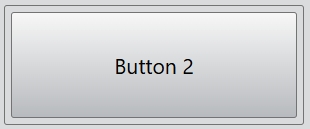
The StackedWidget class provides a stack of widgets where only one widget is visible at a time.
When populating a stacked widget, the widgets are added to an internal list. The widgets can either be added to the end of the list using the add() function, or inserted at a given index using the insert() function. The remove() function removes a widget from the stacked widget. The at() function returns the widget at a given index position.
The number of widgets contained in the stacked widget can be obtained using the count prpperty. The current index of the widget that is shown on screen is given by the index property. In a similar manner, the currently shown widget can be retrieved using the current property.
Example code
In the code below, you will create a stacked widget:
const desktop = Desktop.instance();
const stackedWidget = new StackedWidget(desktop);
stackedWidget.size = new Size(200, 80);
const button1 = new Button(undefined, "Button 1");
const button2 = new Button(undefined, "Button 2");
const button3 = new Button(undefined, "Button 3");
stackedWidget.add(button1);
stackedWidget.add(button2);
stackedWidget.add(button3);
stackedWidget.index = 1;